Reverb App Vision
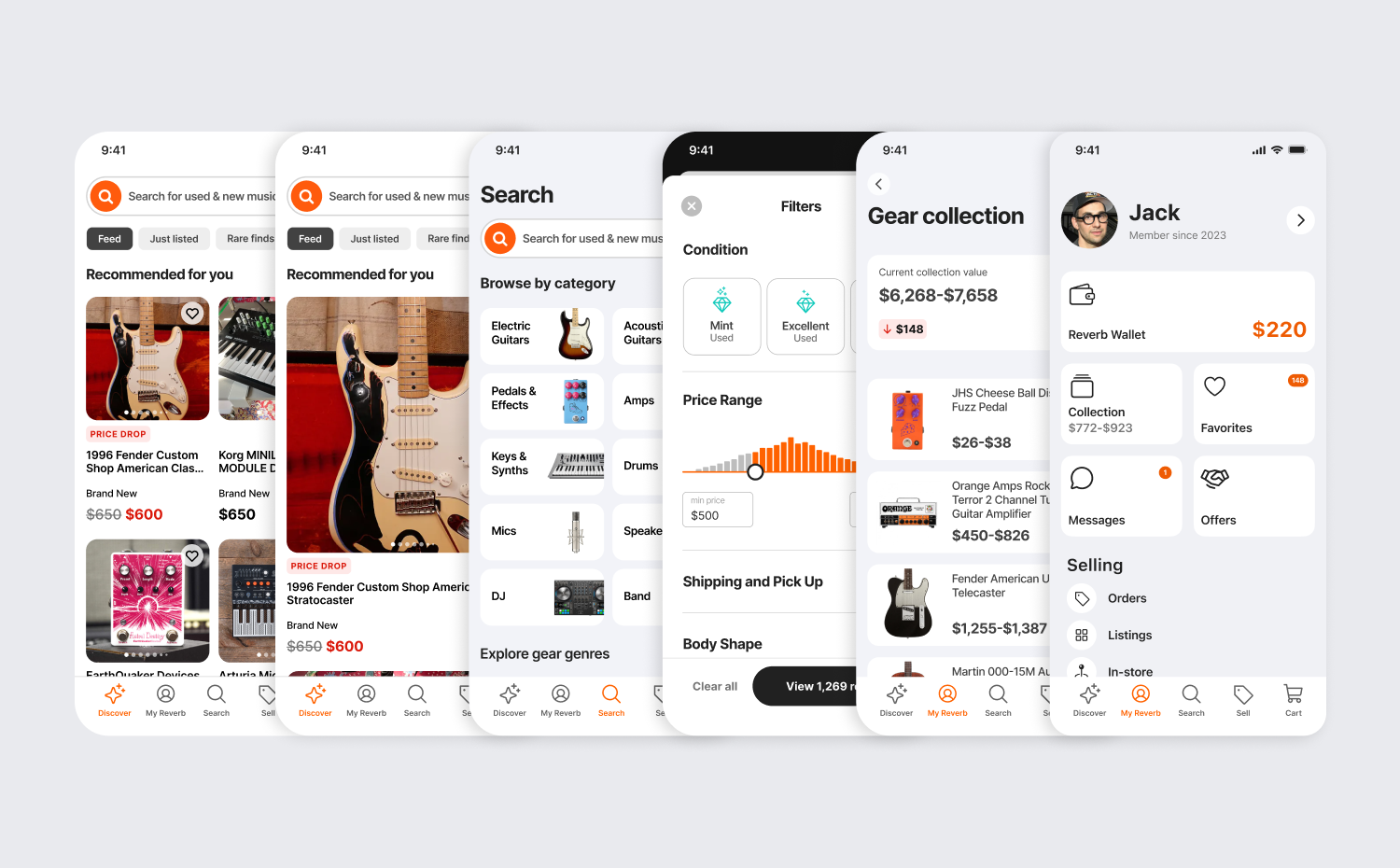
The Reverb iOS app has the most engaged, and most likely to spend cohort of users. But the app was long neglected and was treated like an extension of the website, rather than the unique platform it is. Given the challenge of disrupting the status-quo, I partnered with two senior product managers to define a new vision and roadmap for the future of the Reverb iOS app.
Role: design vision, UXUI, visual design
Strategy: Colleen McClowry, Lauren Katzberg, Raphy Fedida
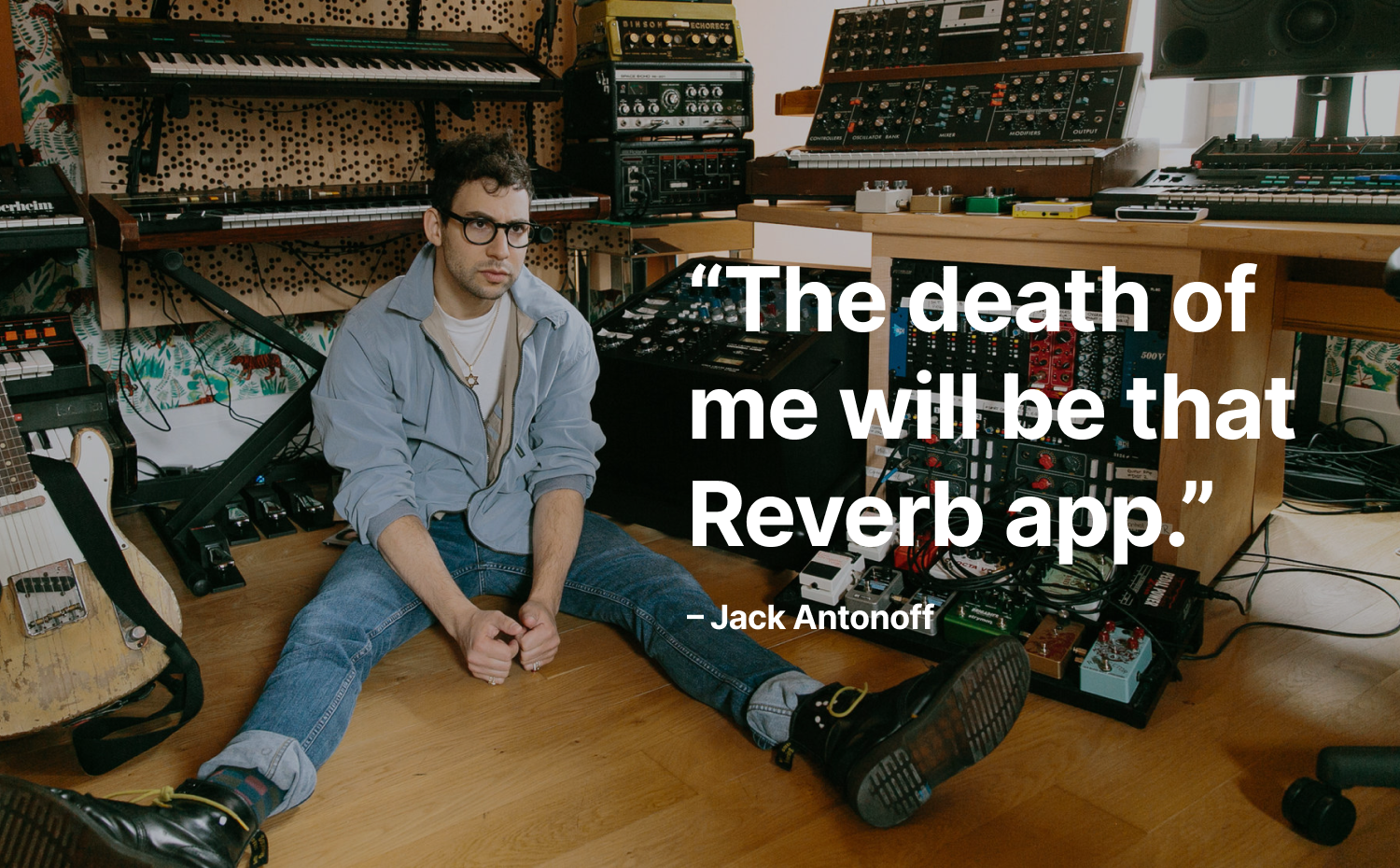
Product vision statement
The Reverb app is the instrument you can’t put down to create your next new sound.

We began by asking the question: what are the daily needs of users on the Reverb app? What needs are we meeting, and where are we falling short?
At Reverb, most team members are practicing musicians and buyers and sellers of gear - so we asked them.
During a brainstorming we saw three primary user needs emerge: 1. a personalized feed full of really cool gear, 2. easy and reliable search, and 3. the ability to track everything important to them.
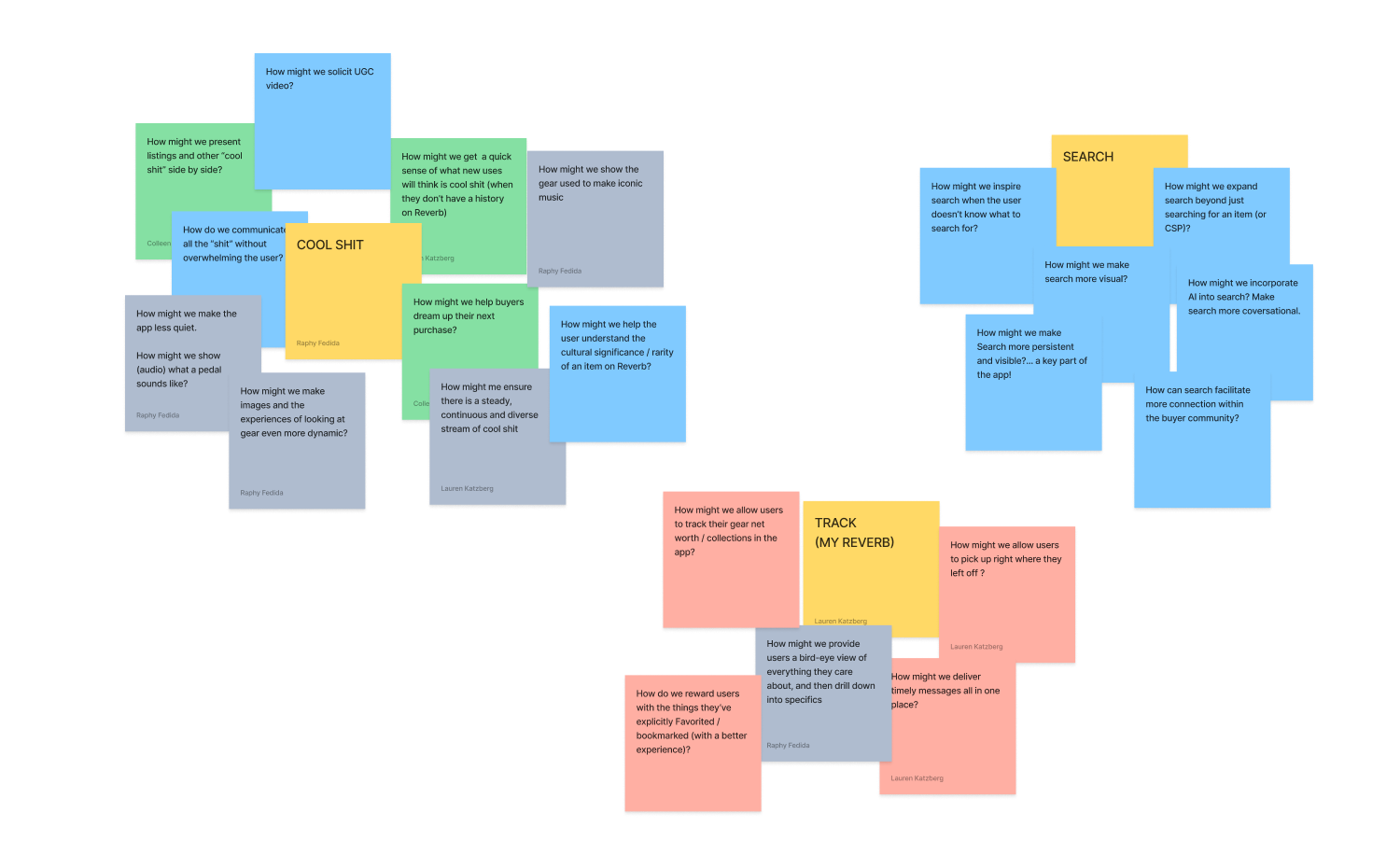
With those three themes in mind, we then wrote a series of ‘how might we?’ questions.
Those questions led to a prioritized list of product features that not only address the daily needs of users in the app, but also surprise and delight them.
Prioritized feature list within each of the three themes
Discovery (cool shit)
personalized recommendations
price drops
vintage finds
artist-owned gear for sale
buying guides
gear stories
seller spotlights
Search
expansive search
recommended queries
immersive video and audio
expert help
community validation
Reverb gear knowledge
AI conversational shopping
Track
messages
offers
personal collection + value
saved searches
favorited items
saved shops
orders
wallet
Discovery feed
When passing time, many people reflexively turn to social media. Musicians, on the other hand, love looking at gear and imagining all the ways they might create with it. The Discovery feed on the home screen is a personalized stream of gear and content that fuels the imagination and keeps users coming back.
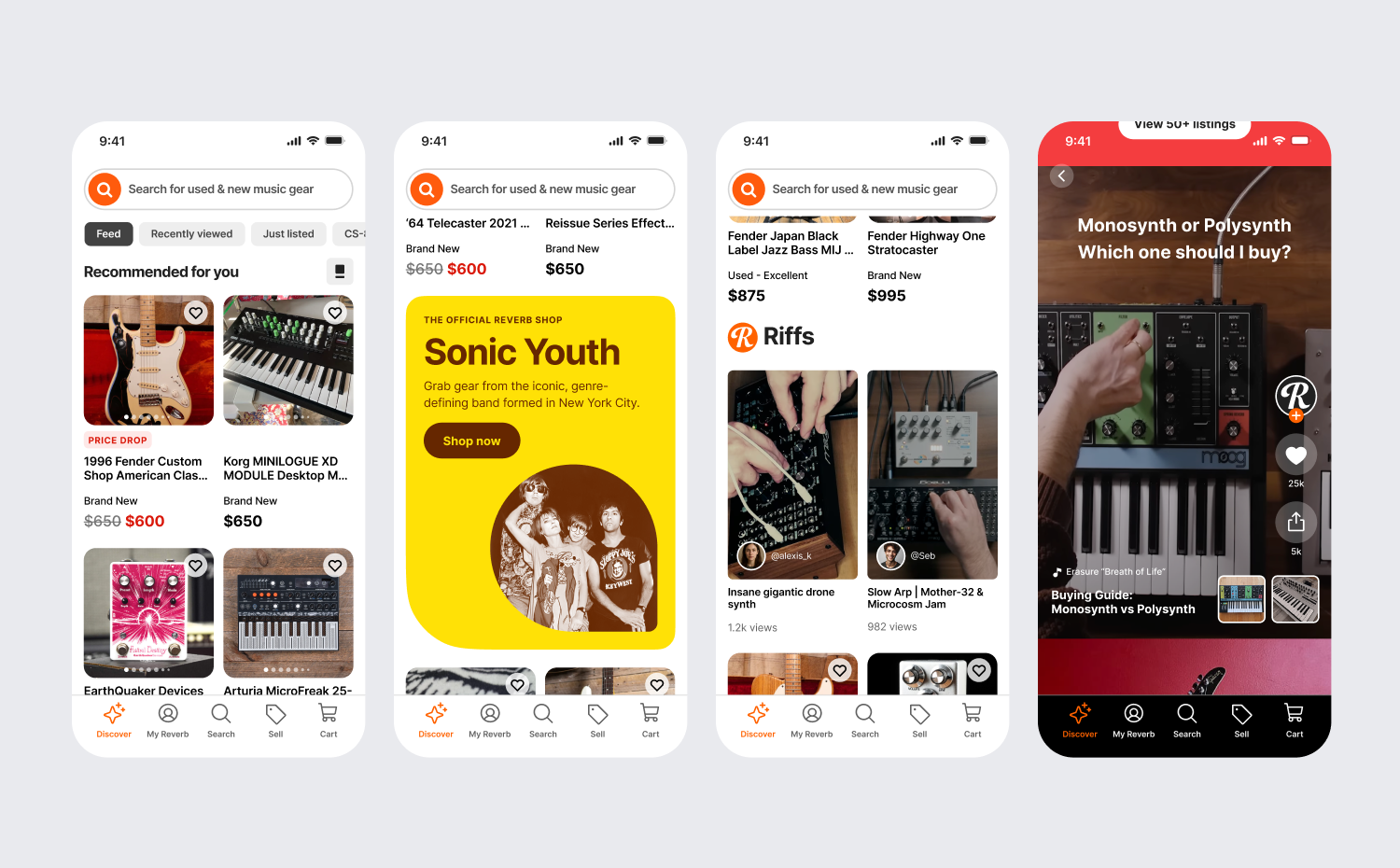
From left to right: 1. a two-up view of the Discovery feed, 2. featured artist shop, 3. in-line vertical video module, 4. secondary scrolling video view
Search
Search on a mobile device is a difficult and often frustrating experience. Outside of perfecting the technology that underpins it, it’s critical to improve the ergonomics of search, anticipate user intent, and with Reverb’s gear expertise, guide users towards the best choice for them.
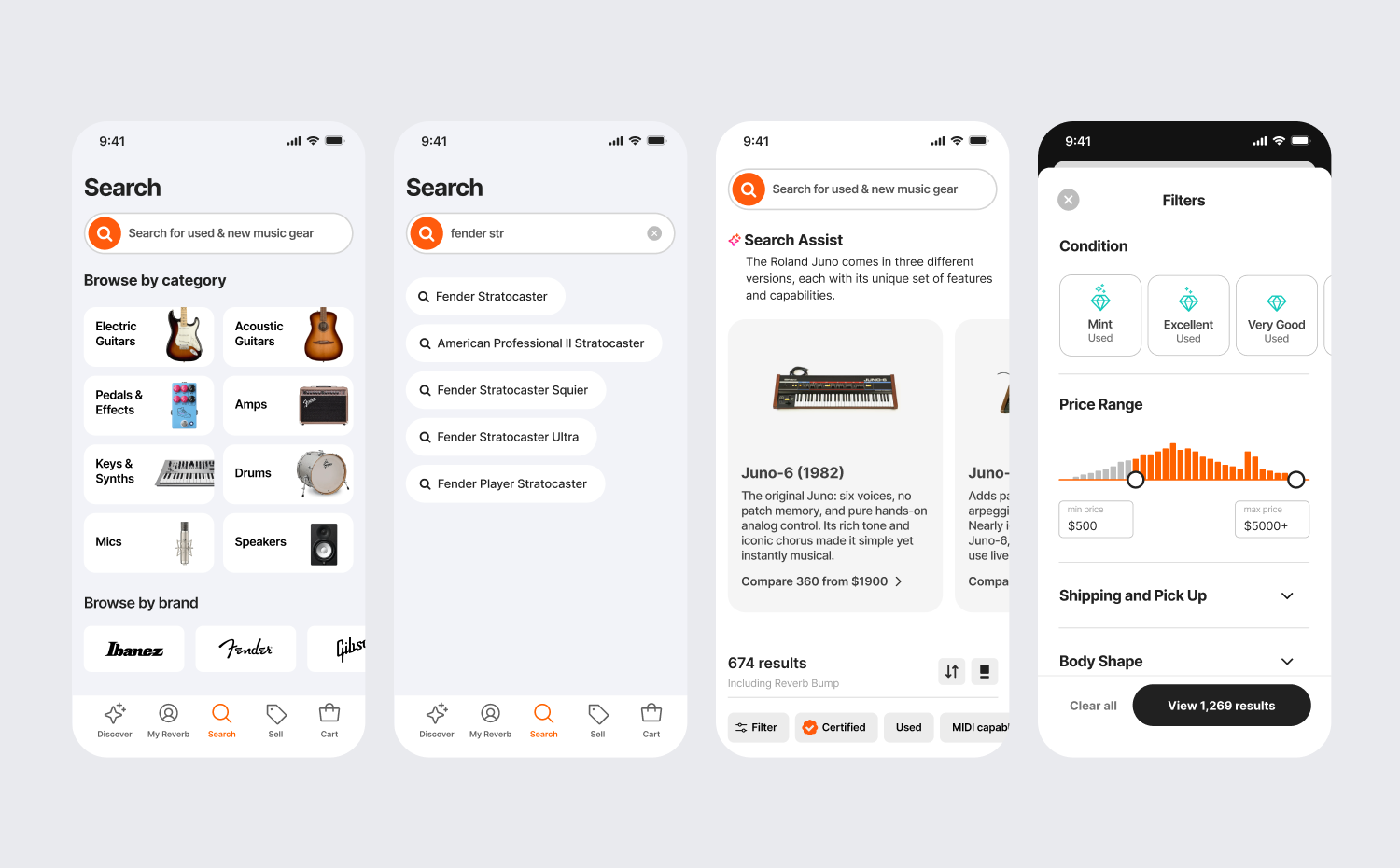
From left to right: 1. prominent search and 1-tap browsing, 2. auto-complete queries and recommendations, 3. gear expertise, 4. easy search filtering
…but search is so 2005
Walking into a local gear shop and being greeted by a fellow musician and gear expert is the beginning of an ideal shopping experience. Answers to questions about budget and musical ability are how customers are guided towards the best gear for them. So the question became: how might we bring a more human-like, in-store experience to the Reverb app?
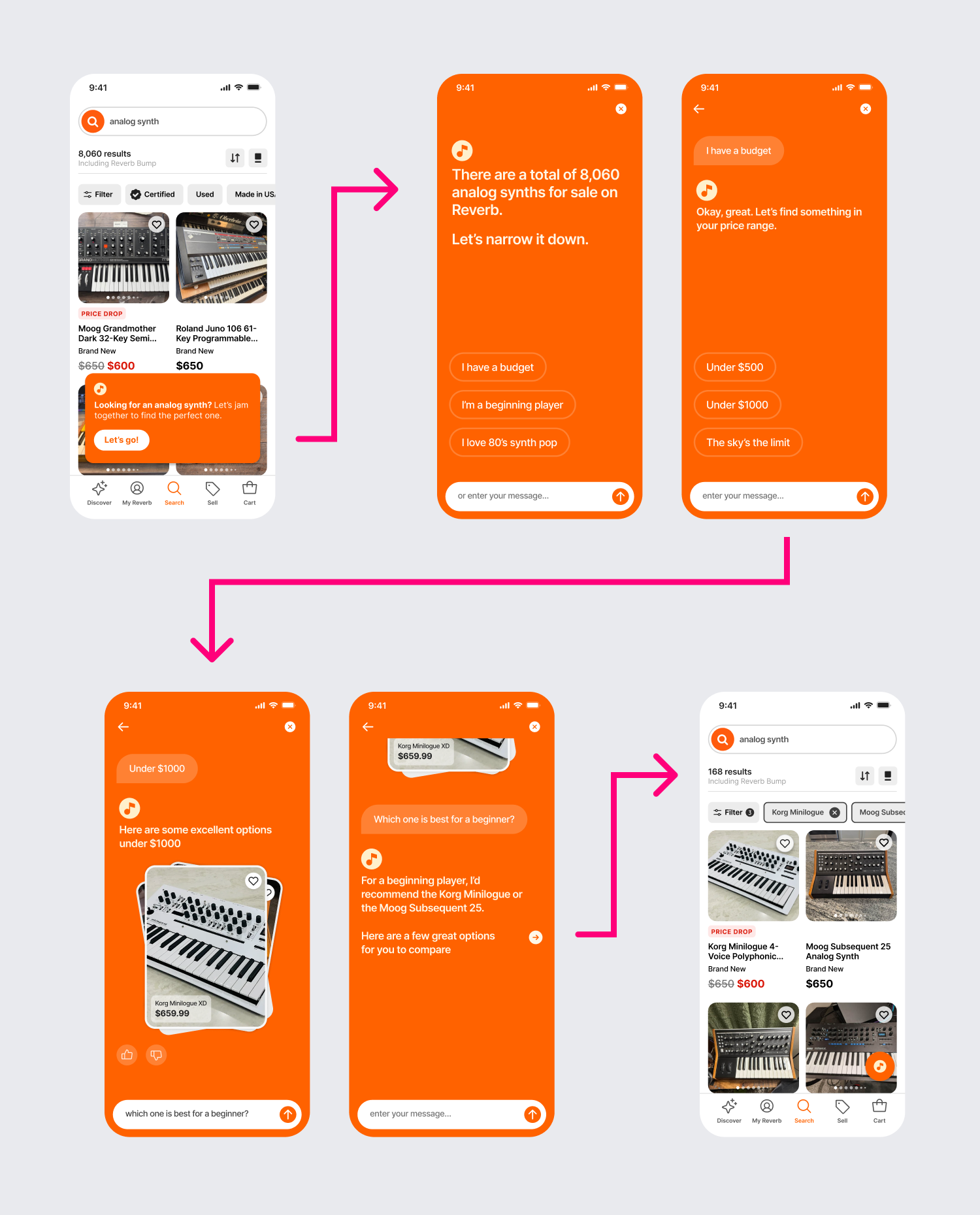
User testing an LLM-based conversational search model with tech-skeptical musicians yielded some surprising and promising results.
“I have several Stratocasters, but I don't know that much about Gibsons. If I was looking for a Les Paul, something like this would be helpful because I don't even know what questions to ask or how to narrow down to something that I would like.”
– Reverb user
“This is hand-holding, and I wouldn't consider myself a user that needs hand-holding, but if this actually helped me get to my result faster than I needed it to, then I might find it valuable.”
– Reverb user
Track
Besides finding inspiration with gear, what are the things that bring users back into the app? It’s things like messages and offers, shipment tracking, and gear collection value. What if we designed a birds-eye view of just-in-time information that made it easy for a user to track what’s most important to them?
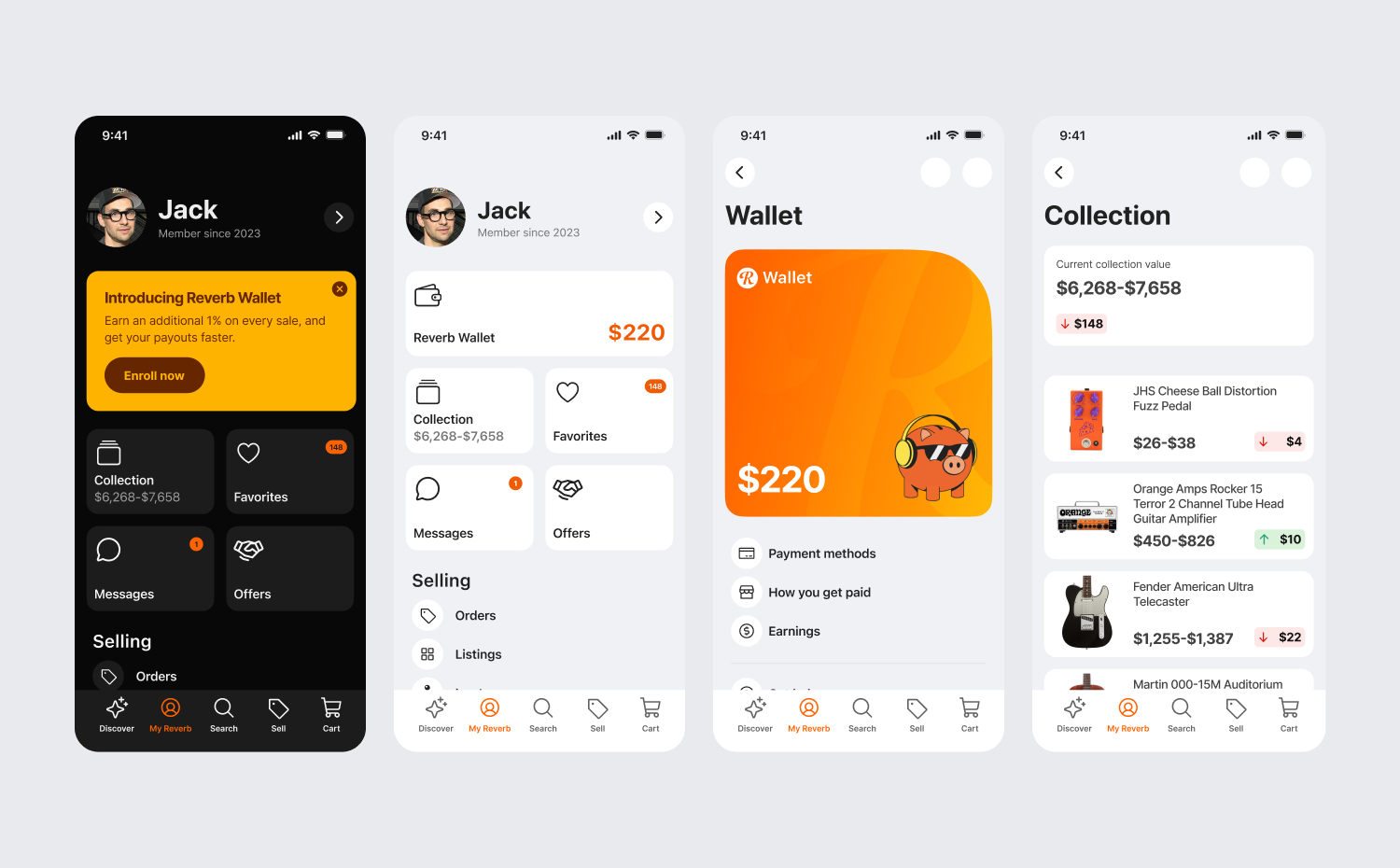
From left to right: 1. My Reverb (track) in dark mode, 2. drawing attention to what’s most important, 3. Reverb Wallet balance, 4. gear collection